DMARC is a short line of text on your domain that tells other mail servers what to do with email that claims to be from you but fails the security checks. It does two jobs for a business:
- It helps your real email reach inboxes. Gmail, Yahoo and Outlook now expect businesses to have it.
- It stops scammers pretending to be you. Fake invoices "from" your domain get blocked instead of delivered.
How DMARC works
DMARC sits on top of two other checks:
| Check | What it checks |
|---|---|
| SPF | Whether the server sending the email is on your list of allowed senders |
| DKIM | The email's digital signature |
| DMARC | Whether the email passes SPF or DKIM, and whether that matches the address in the "From" line |
If the email fails, DMARC applies the policy you've chosen.
The three policies
| Policy | What happens to email that fails | When to use it |
|---|---|---|
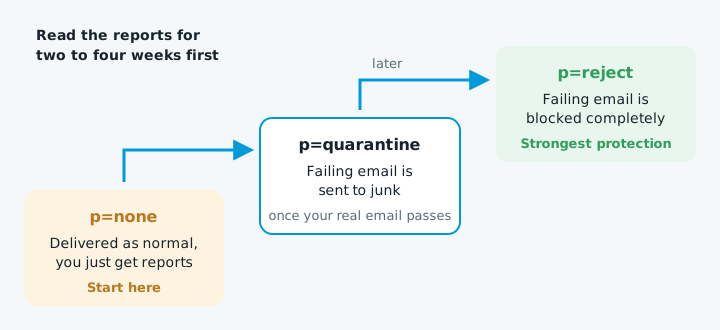
p=none |
Delivered as normal; you just get reports | When you're first setting up |
p=quarantine |
Sent to junk | Once your real email passes |
p=reject |
Blocked completely | The strongest protection |
What a DMARC record looks like
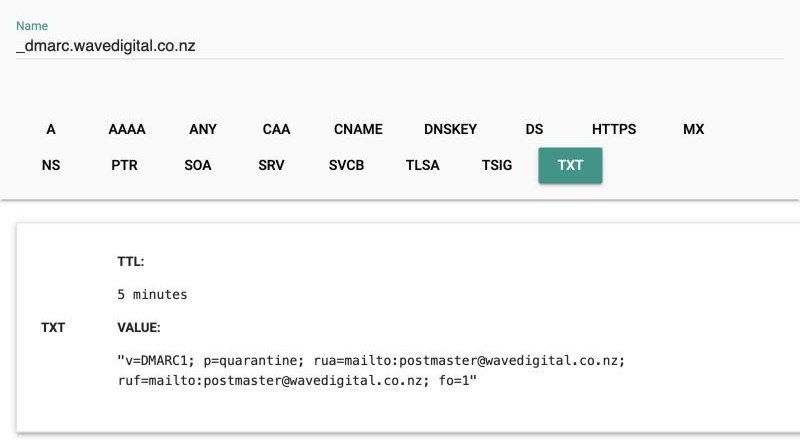
It's a TXT record on _dmarc.yourdomain.co.nz, for example:
v=DMARC1; p=none; rua=mailto:dmarc-reports@yourdomain.co.nz
| Part | What it means |
|---|---|
v=DMARC1 |
Says it's a DMARC record |
p=none |
The policy |
rua= |
Where daily summary reports are sent. They show every server sending email as your domain |
Setting it up safely, step by step
- Make sure SPF and DKIM are working first. Look your domain up in a DMARC checker. If SPF is missing, see how to add an SPF record.
- Add DMARC with
p=noneand a reporting address. Log in to wherever your domain's DNS is managed (your registrar, web host or Cloudflare), add a TXT record with the host_dmarcand the value above. - Read the reports for two to four weeks. Look for any service of yours that's failing, such as Xero, your website form or a newsletter tool, and fix it.
- Move to
p=quarantine, then later top=reject.
Common mistakes
| Mistake | What to know |
|---|---|
| Two DMARC records | Only one is allowed. With two, neither works |
| Putting it on the wrong name | It must be on _dmarc.yourdomain, not on the domain itself |
Staying on p=none forever |
Many businesses add DMARC once and never tighten it |