An SPF record is a line of text on your domain that lists which services are allowed to send email as you. Without it, your emails are much more likely to land in junk. Adding one takes about ten minutes.
Step 1: Find out where your DNS is managed
Your SPF record goes wherever your domain's DNS is managed. That's usually your registrar (1st Domains, Freeparking, Crazy Domains, Discount Domains and so on), but sometimes your web host or Cloudflare.
To check, look up your domain's nameservers using any "nameserver lookup" tool:
| Your nameservers | Where your DNS is |
|---|---|
| Have your registrar's name in them | At the registrar |
End in cloudflare.com |
At Cloudflare |
| Anything else | Usually your web host |
Step 2: Check you don't already have one
Look up your domain in any "SPF lookup" tool. If it shows an SPF record already, edit that one.
Step 3: Work out what goes in it
An SPF record starts with v=spf1, lists your senders, and ends with ~all. The common senders are:
| You send through | Add this |
|---|---|
| Google Workspace | include:_spf.google.com |
| Microsoft 365 | include:spf.protection.outlook.com |
Other services that send as you, such as accounting software, newsletter tools or booking systems, publish their own value in their help pages. Search their help for "SPF".
For a business on Google Workspace only, the full record is:
v=spf1 include:_spf.google.com ~all
For Microsoft 365 only:
v=spf1 include:spf.protection.outlook.com ~all
Step 4: Add it at your DNS provider
The menus differ between providers, but the steps are the same:
- Log in and open your domain.
- Find the DNS section. It may be called DNS, DNS records, Manage DNS or Zone editor.
- Add a new record (or edit the existing SPF one) with these settings.
- Save.
| Field | What to enter |
|---|---|
| Type | TXT |
| Host / Name | @ (some providers want it left blank, or your full domain) |
| Value / Content | Your SPF record from step 3 |
| TTL | Leave the default |
Step 5: Check it worked
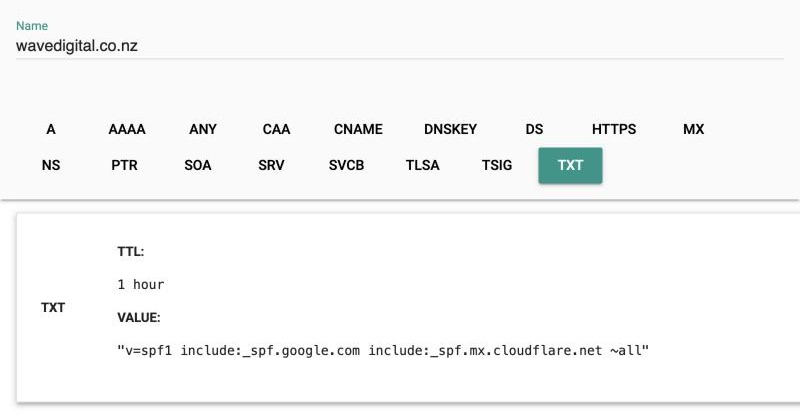
Changes usually show up within an hour. Run the SPF lookup again to confirm.
Common mistakes
| Mistake | What goes wrong | Fix |
|---|---|---|
| Two SPF records | Two count as broken | Combine them into one |
| More than 10 lookups | Every include: counts, including the ones inside it. Too many and the record fails |
Most SPF lookup tools count them for you |
Ending in +all |
That allows anyone to send as you | Use ~all or -all |
| Forgetting a service | If invoices from your accounting software still land in junk, it's probably missing from the record | Add that service |
SPF is one of three settings. To finish the job, switch on DKIM in your email provider and add a DMARC record.