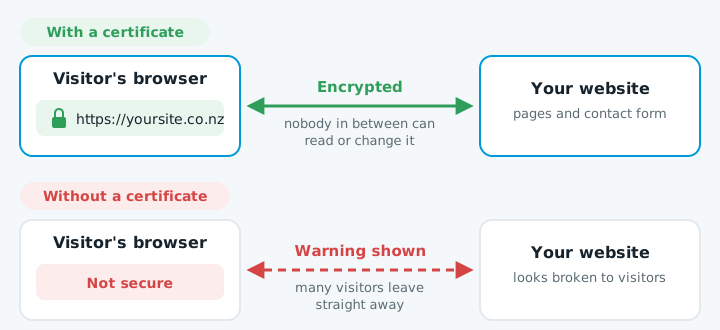
An SSL certificate is what puts the padlock next to your website's address and makes it start with https://. It encrypts everything between your visitor's browser and your website, so nobody in between can read or change it.
Why it matters for a business website
- No "Not secure" warning. Browsers warn visitors about sites without a certificate, and many will leave straight away.
- Contact forms are protected. Names, phone numbers and messages are encrypted on the way to you.
- Google prefers it. HTTPS has been a ranking signal for years.
Today, a business website without a working certificate looks broken to visitors.
Do you need to pay for one?
For almost every small business, no. Free certificates from Let's Encrypt, or the ones included by Cloudflare and most good web hosts, give exactly the same encryption and the same padlock as paid ones.
| Free certificate | Paid certificate | |
|---|---|---|
| Encryption | Same | Same |
| Padlock | Same | Same |
| Identity checks on the company | No | Yes |
Paid certificates add identity checks on the company behind the site, but browsers no longer show visitors anything different. Unless a bank, government agency or client contract requires a specific type, a free certificate is the right choice.
Certificates expire, and soon they'll expire faster
Every certificate has an expiry date. Industry rules are steadily shortening how long a certificate can last: from March 2026 the maximum is 200 days, and it keeps dropping over the next few years. Manual renewal once a year is no longer realistic.
How to check yours
- Click the padlock (or the "Not secure" label) next to your address in the browser. It shows whether the connection is secure.
- Open the certificate details. They show when it expires.
Getting it sorted
- Warning showing right now? Work through the website down checklist, or get in touch.
- Want it never to happen again? Every plan includes the certificate and automatic renewal.