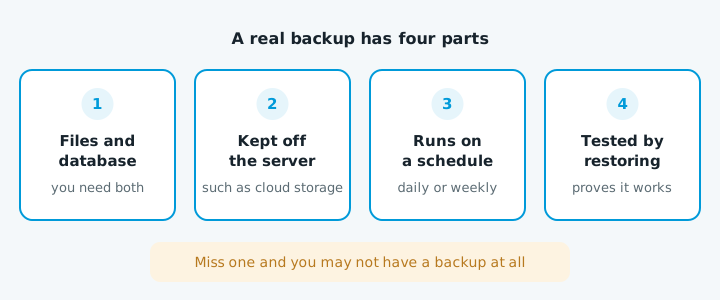
A real backup copies the files and the database, is kept somewhere other than the server, runs on a schedule, and has been restored at least once to prove it works. Miss one and you may not have a backup at all.
What it has to include
WordPress says there are two parts to a backup. The database holds your pages, posts and settings. The files hold WordPress, the theme, the plugins, your uploaded images, wp-config.php and .htaccess. Copy only the files and you get back an empty site. Copy the database without the uploads and you get pages with missing photos.
Where and how often
| Where | Example | Survives a hacked server or cancelled account? |
|---|---|---|
| On the server | Your host's or cPanel's own backups | No |
| Cloud storage | Google Drive or Dropbox | Yes |
| Your own computer | A copy you've downloaded | Yes |
cPanel saves backups to the server by default and strongly recommends also sending them somewhere remote. Back up weekly if the site rarely changes, daily if it takes bookings, orders or enquiries. Keep several copies, so you can go back past a hack that went unnoticed for a week.
How to set one up on WordPress
- Ask your host what they already do, where the copies are kept and how far back they go.
- Download a copy now. On cPanel, the Backup Wizard downloads your home directory and databases.
- Add a plugin that sends copies off the server. The free version of UpdraftPlus can schedule backups to Dropbox, Google Drive, Amazon S3 or FTP.
- Back up before big changes, such as plugin updates or moving host.
- Test a restore on a staging site or spare account when you set it up and every few months. Check the pages, images and contact form.
Wix and Squarespace
You can't take a full backup of either. Wix keeps a site history you can restore from, but some app content doesn't go back, including Stores, Blog, Bookings, CMS collections and contacts. Squarespace's export is built for moving to WordPress and leaves out store pages, styles and custom CSS. Keep your own copies of your photos and text.
When to get help
Get someone in if nobody can tell you where your backups are, the only copies are on the same server, a restore test failed, or you need to restore now after a hack or a plugin update that broke the site.
If you're not sure what state your site is in, start with our free website check.