Start with the "Lost your password?" link on the login page. If the email doesn't arrive, or you can't find the login page, you can reset the password through your hosting or ask your host to do it.
| If this is your problem | Start with |
|---|---|
| You've forgotten the password | Reset link |
| The login page has gone, or you're locked out after too many tries | Security plugin |
| The reset email never arrives | Reset through your hosting |
| You don't have the hosting login either | Who controls the site |
Use the reset link
Go to yoursite.co.nz/wp-login.php, click Lost your password? and enter your username or email. WordPress emails a link to set a new password.
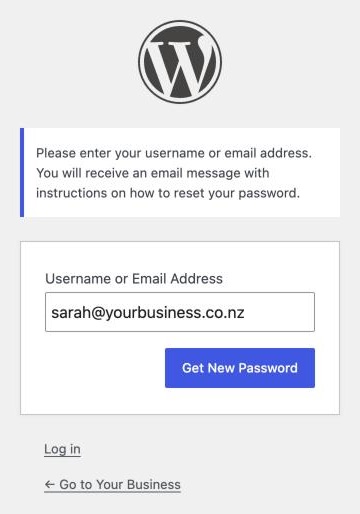
If nothing arrives, check spam. The email goes to the address on the account, often the designer or a staff member who has left.
Get past a security plugin
Some security plugins move the login page to a secret address and block /wp-login.php and /wp-admin/. Others, such as Wordfence, lock you out for a set time after too many failed logins. Waiting works.
To get in sooner, open your hosting file manager or FTP, go to wp-content/plugins/ and rename the plugin's folder, for example wps-hide-login to wps-hide-login-off. Log in, rename it back and note the login address.
Reset through your hosting
- phpMyAdmin. Open the WordPress database, then the
wp_userstable (the prefix may differ). Edit your user, replaceuser_passwith a new password, choose MD5 from the function list and click Go. WordPress swaps it for a stronger hash when you log in. - WP-CLI. If you have command line access, run
wp user listto find your ID, thenwp user update 1 --user_pass=your-new-passwordwith your ID in place of1. - Ask your host. Most will reset it for you. Ask from the email address on the hosting account.
Once you're in, change the account's email to one you read.
Who controls the site
If you don't have the hosting login either, the real problem is ownership. If a former designer set up hosting in their name, they need to hand it over, or the site needs moving to hosting in your name. See get your domain back from a web designer and move your website to a new host.
When to get help
Get help if you can't get into the hosting account, or the database steps make you nervous. A mistake there can take the site down.
If you're not sure who controls your site, talk to us.