Slow phone loading usually comes down to oversized images, too many scripts and plugins, or hosting far from New Zealand with no caching. Test first, then fix the biggest problem.
Test it with PageSpeed Insights
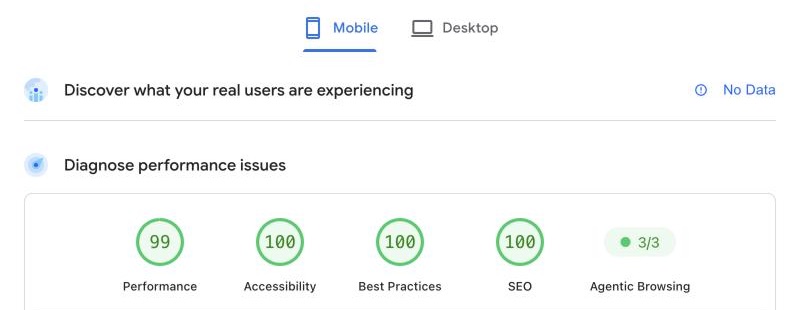
Open PageSpeed Insights, enter your home page and choose the Mobile tab. The field data at the top shows what real Chrome users experienced over the last 28 days. That matters most. The lab data below is one simulated test, and its suggestions show what to fix.
| Metric | What it measures | Good |
|---|---|---|
| Largest Contentful Paint (LCP) | How long the main content takes to appear | 2.5 seconds or less |
| Interaction to Next Paint (INP) | How quickly the page responds to a tap | 200 milliseconds or less |
| Cumulative Layout Shift (CLS) | How much the page jumps while it loads | 0.1 or less |
Fix the usual causes
- Shrink your images. A photo straight off a phone can be several megabytes. Resize it to the space it fills, save it as WebP or AVIF, and set a width and height so the page doesn't jump.
- Lighten the top of the page. The largest thing at the top is usually what LCP measures. One compressed image beats a full-screen slider or background video. Lazy loading suits images further down, but not the main one at the top.
- Delete plugins you don't use. Every plugin can load code on every page, which hurts INP. Don't run two that do the same job. Switch one off and test before deleting it.
- Clear out widgets and tracking. Chat bubbles, tracking pixels, social feeds and embeds all load code from other servers. Keep only what you use, and remove old tracking codes from past agencies.
- Check the hosting. A server in the US or Europe, or cheap shared hosting, slows every visitor. Google suggests a server response time (TTFB) of 0.8 seconds or less. Caching and a CDN both help. If your host offers neither, consider moving to a new host.
On Wix or Squarespace you can't change the hosting, so focus on images, apps and embeds. See also Wix and Squarespace price rises.
When to get help
You can do the images and plugin clean-out yourself. Get help if the score is still poor after that, or PageSpeed Insights points at server response time and your host can't improve it.
Our free website check includes a look at how your site loads on a phone.